
Most hosting providers offer a money-back guarantee, typically allowing you to request a refund within 30 days of purchase if you’re not satisfied. DreamHost provides a 97-day refund guarantee, which means you can request a refund within 97 days of the date of purchase if you find that DreamHost hosting isn’t suitable for your needs.

Official Website Click here to visit the official DreamHost website.
DreamHost Hosting Refund Process
Step 1: Log in to the DreamHost control panel. In the left-hand Billing & Account menu, select “Manage Account,” and then click “Close Account” to begin the account cancellation process.
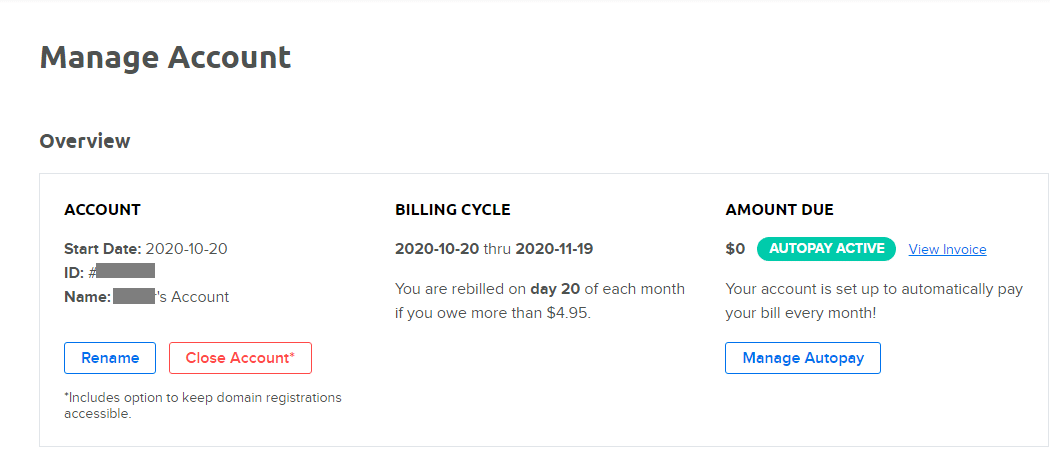
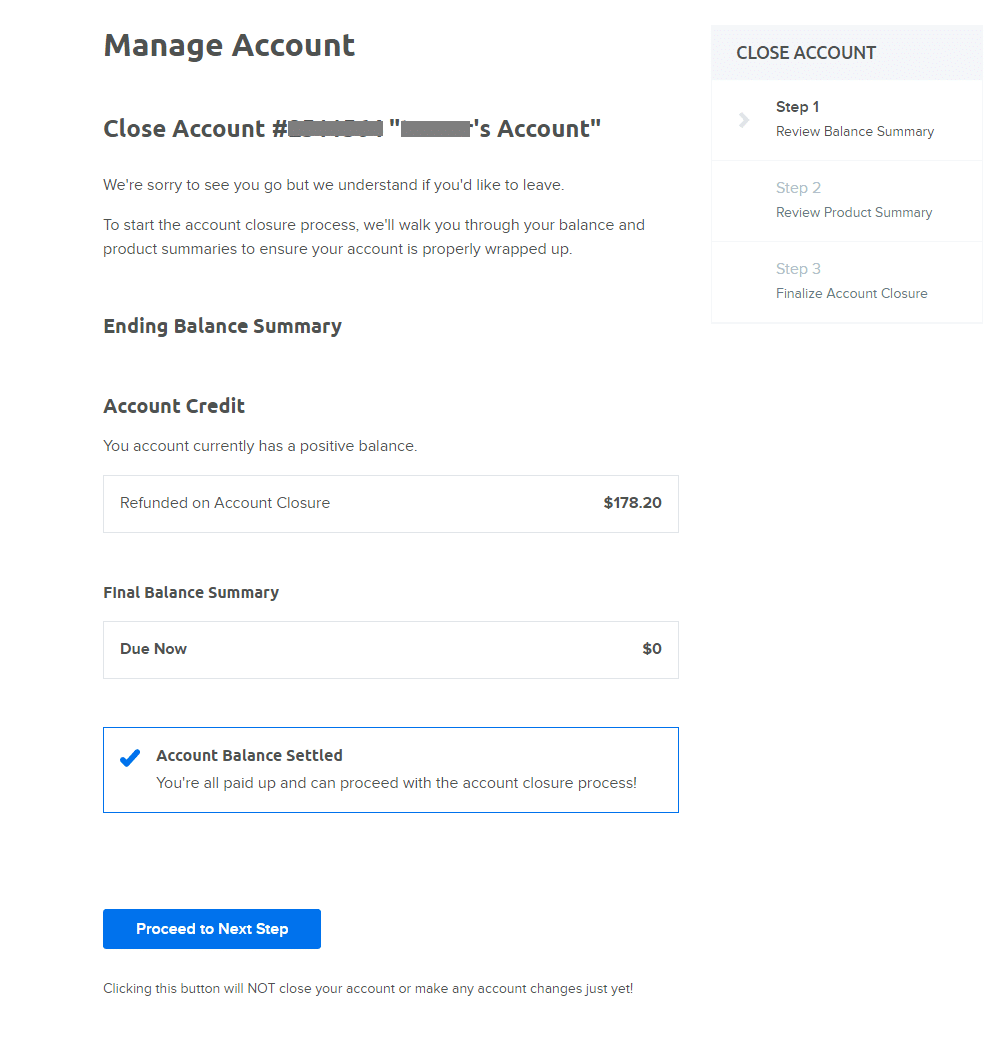
Step 2: Review your account details and the refund amount. Here, you will see the refund amount you are eligible for (Final Balance Summary). During the refund guarantee period, users can receive a full refund. If you have registered a domain name, a $6.99 domain registration fee will be deducted. Click “Proceed to Next Step” to move on.
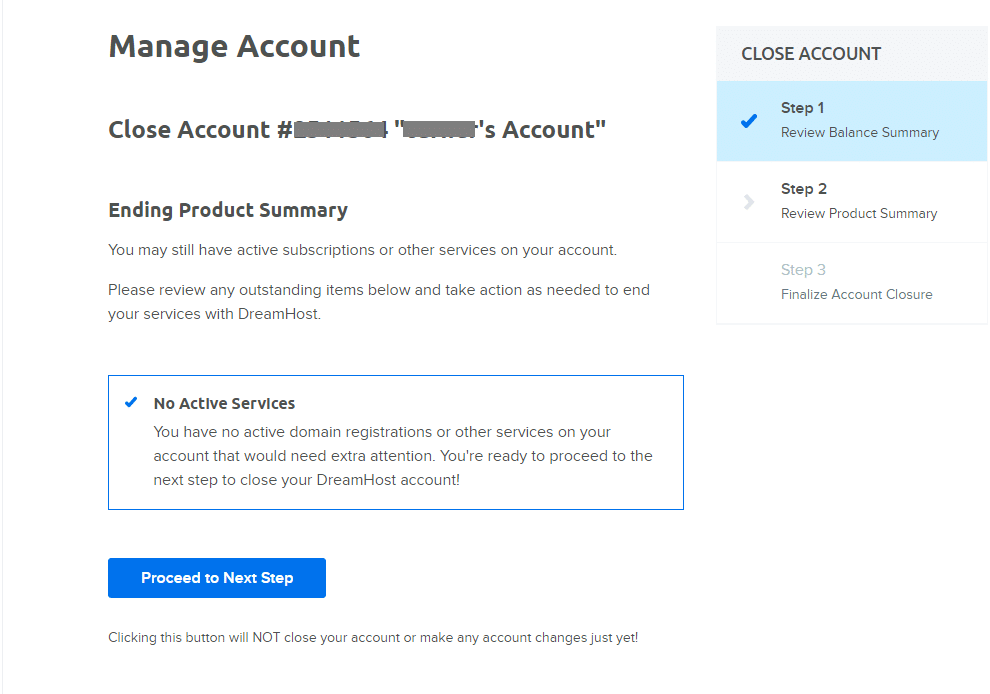
Step 3: Review the summary of your hosting situation. If there are no active services, click “Proceed to Next Step” to continue.
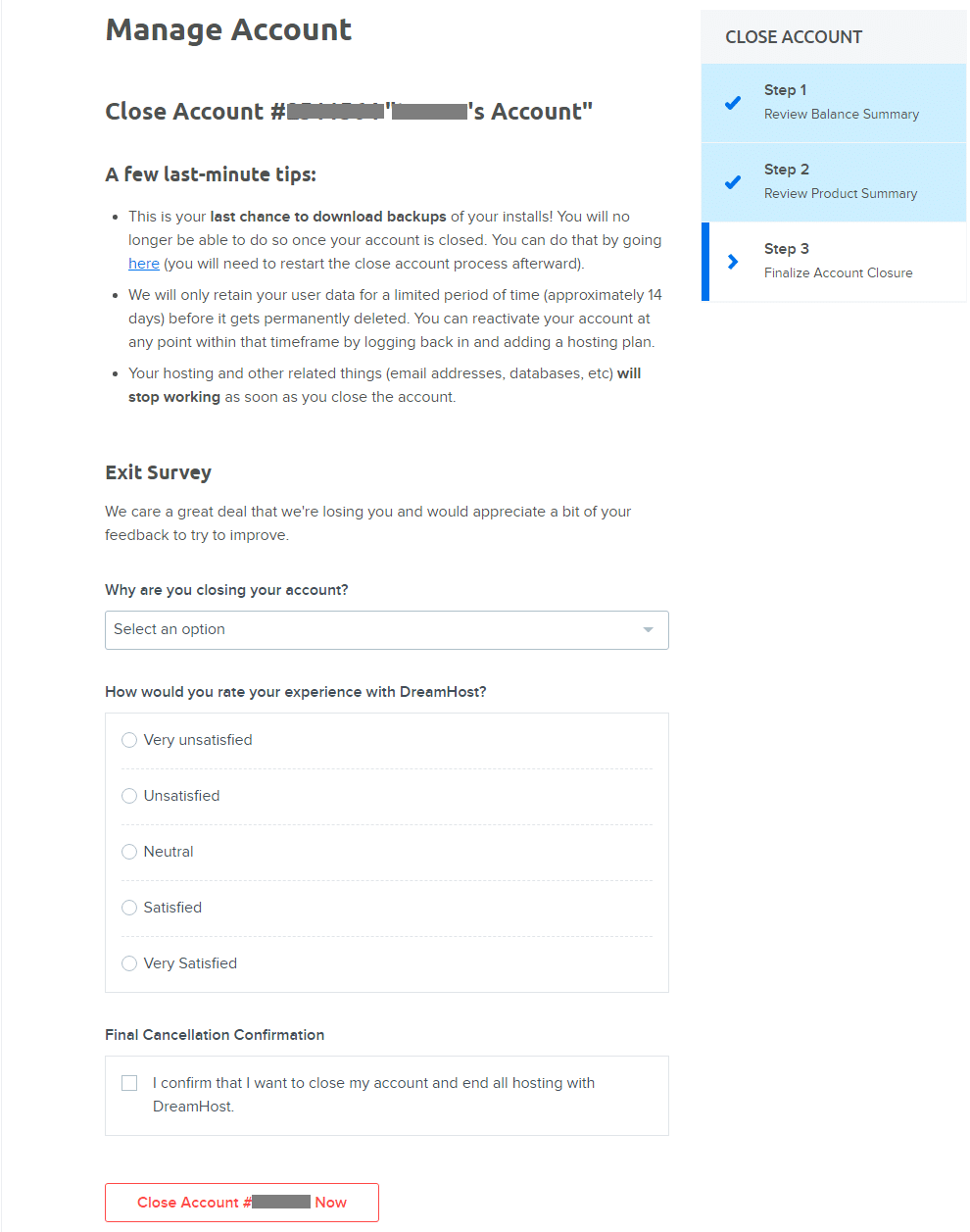
Step 4: DreamHost may ask you for some feedback and the reason for closing your account, as well as your satisfaction with DreamHost products. Select “Final Cancellation Confirmation” and click “Close Account xxx Now.”
Step 5: Finally, your account will be closed, and DreamHost will refund your payment to the original payment method.
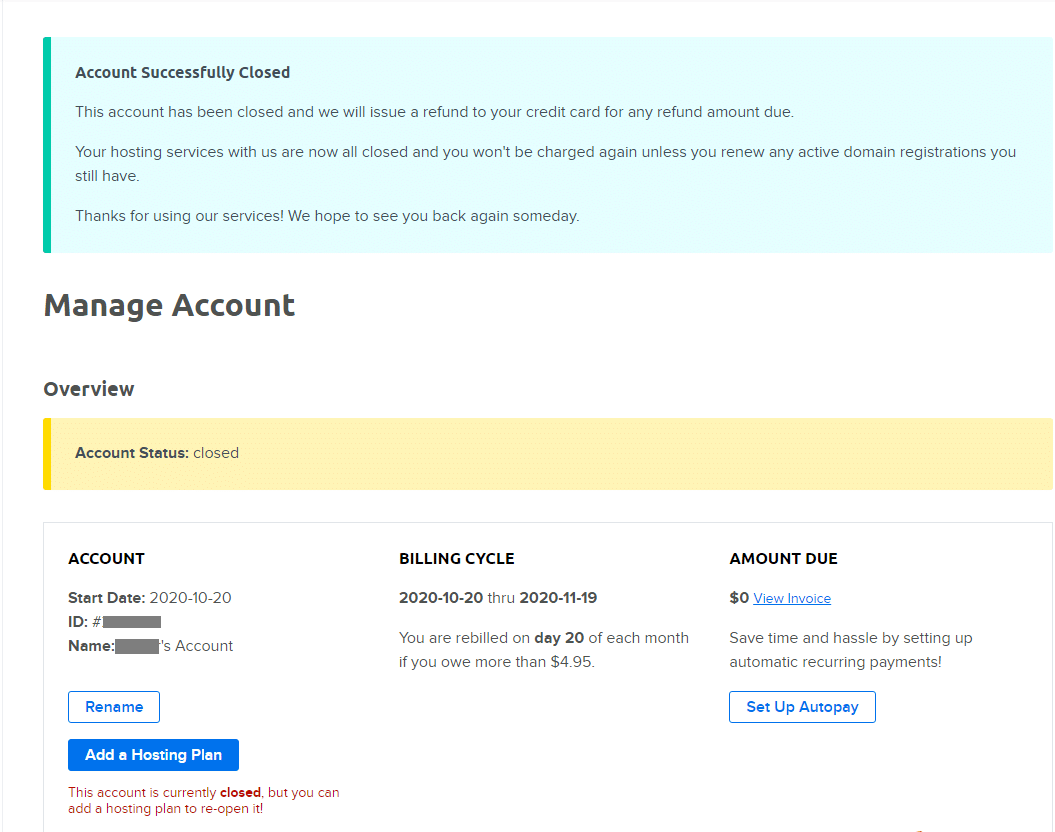
After your account is closed and refunded, you can use the same account to repurchase hosting (Add a Hosting Plan), but the price will no longer be at the initial discounted rate.